Technology · 02 of 03
Technology that fitsthe environment.
The right technology starts with the right question. SaferSmart Zones adapts to the defined problem and the compatible infrastructure already available — not the other way around.
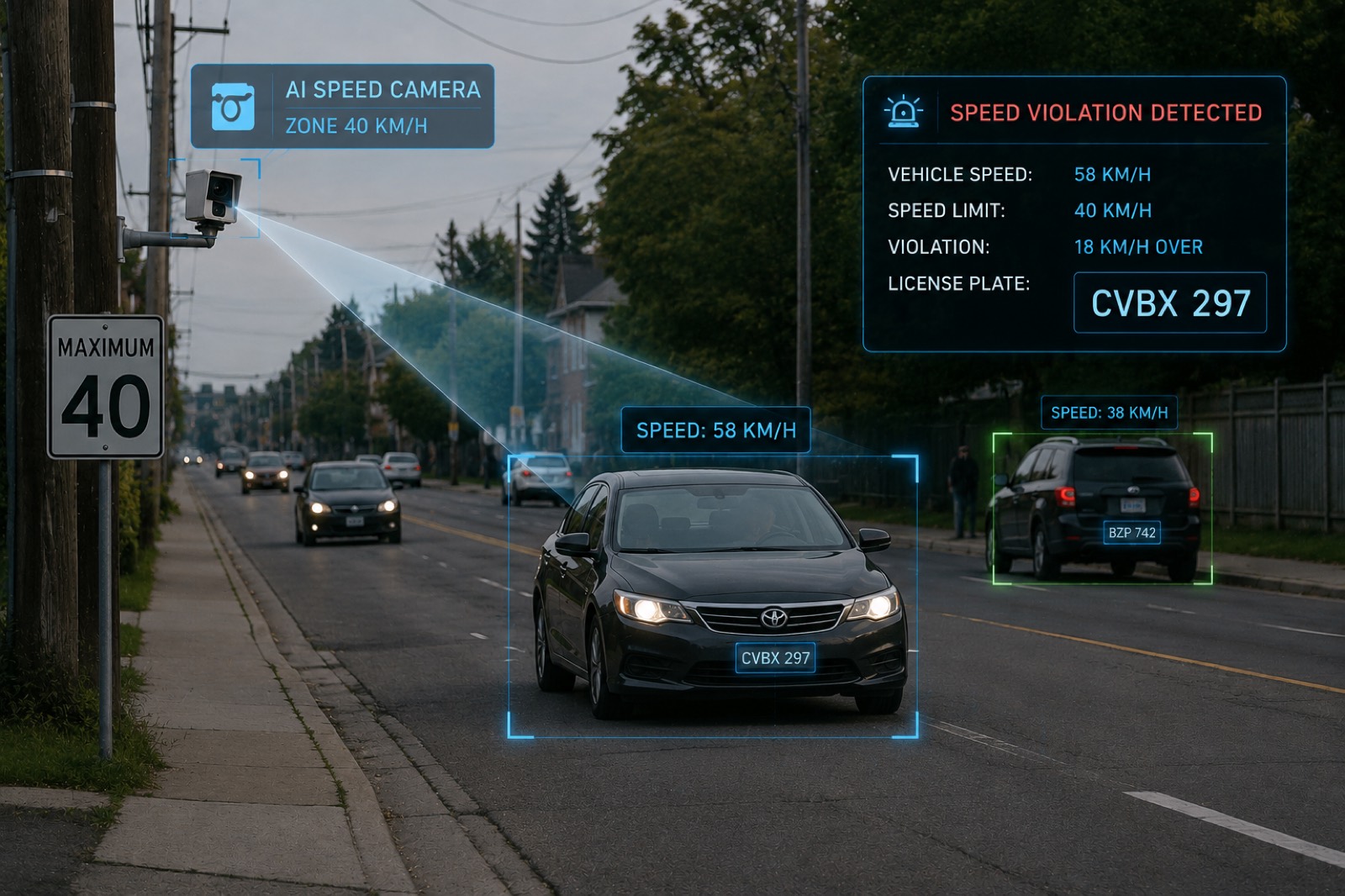

ZAP! Vehicle Make & Model Recognition
Verify More Than the Plate
Vehicle Make and Model Recognition adds another layer of intelligence to captured roadway information.
The technology identifies the manufacturer and model of a vehicle from a camera frame. When combined with license plate data and other observed characteristics, it can help create a more complete vehicle identity.
- Vehicle data validation
- Make and model verification
- Plate-to-vehicle comparison
- Data integrity
- Non-compliant vehicle identification
Camera hardware
D-Cop 6
Intersection monitoring with multi-lane detection
The Intertraff D-Cop Fixed is a high-resolution traffic enforcement camera combining imaging, radar tracking and ANPR/LPR in a rugged roadside system. It supports multi-lane vehicle detection and evidence capture for speed, signal and other traffic violations.
- IP66-rated for outdoor deployment
- 12 MP high-resolution imaging
- Multi-lane radar tracking
- Integrated ANPR/LPR
- Optional 4K video evidence
- Speed and traffic violation detection
Camera hardware
SuperWalzCAM
Compact stand-alone ANPR camera, up to two lanes
The Intertraff SuperWalzCAM is a rugged, stand-alone ANPR/LPR camera designed for reliable vehicle identification across multiple traffic lanes. It combines high-resolution imaging, onboard plate recognition and integrated illumination for day and night operation.
- IP66 weather-resistant housing
- Up to 12 MP imaging
- Embedded ANPR/LPR
- Captures vehicles up to 250 km/h
- Up to 50 m capture distance
- Multi-lane monitoring

Interactive 3D model
The device that holds the zone
The two scenarios above show the zone; this is the equipment standing in it. Arm down is the stop state a vehicle is captured passing in Scenario B. Arm up with a flashing amber is the moving-traffic state Scenario A measures approach speed in. One unit, both states, shown here on its own.
Walk around the unit. Raise and lower the arm.
Loads a 3D scene. Best on a desktop screen.
The automated flagger assistance device the two work-zone scenarios are built around: a tilt-up mast on a wheeled outrigger base, a two-lamp LED head carrying the cameras, and a motorized 10 ft gate arm. Switch it between stop and proceed to see the two control states, and move through the detail views of the head, the cameras, the gate hinge and the base.
- Stop and proceed, the two control states
- Detail views of the head, cameras, hinge and base
- Deployed and transport dimensions on the spec plate

On automation
AI where it adds value.Human oversight where it matters.
Automated tools are good at narrowing a large amount of roadway activity down to the events worth looking at. They are not the right thing to hand a decision to.
In SaferSmart Zones, automation supports identification, classification, organization and validation. Defined program decisions remain subject to authorized review inside the organization responsible for the outcome.
- Automation supports identification, classification, organization and validation
- People decide whether an event proceeds, and what the response is
- No claim that an automated system determines guilt or a legal outcome
Data moves from the camera to the cloud over an encrypted LTE connection, and stays encrypted in transit and at rest thereafter. SaferSmart Zones™ operates to SOC 2 and GDPR compliance requirements, with data held locally in the market the deployment serves. Security documentation is provided as part of a deployment assessment.